Wee Alarm: a dog potty-break alarm with AlarmKit and SwiftUI
Wee Alarm solves a very specific problem: you’re deep in a game or a work session, the hours slip by, and the dog is sitting by the door with its legs crossed. A kitchen timer doesn’t cut it, because it’s easy to dismiss and forget to restart. Wee Alarm knows when the dog last went out, works out when they’ll next need to go, and rings when it’s time.
The constraints shaped every technical decision:
- It has to actually ring. A notification is easy to miss with the phone on silent or in a Focus mode. This needed a real alarm.
- One tap to reset. When the dog’s been out, restarting the timer should take one tap, ideally right from the ringing alarm.
- No backend and no data collection. No accounts, no server, no analytics. Everything stays on the phone.
- Not just another timer. A friendly, animated design that’s fun to glance at.
Architecture: one store, one alarm
The app is small (about 1,600 lines of Swift), and it’s organised around a single idea: one object owns all the state, and every change to that state reschedules the alarm.
DogStore. Views, the alarm's button and the notification's buttons all call the same handful of actions, and every action saves the state and reschedules the alarm. There's no way to change the timer without the alarm following.DogStore is an @Observable, @MainActor class holding just three pieces of state: the dog’s profile, when the dog last went out, and an optional snooze time. Everything else, including when the next wee is due and how full the bladder is, is derived from those three values rather than stored:
@MainActor
@Observable
final class DogStore {
    private(set) var profile: DogProfile? = nil
    private(set) var lastLetOut: Date? = nil
    private(set) var snoozedUntil: Date? = nil

    var nextDue: Date? {
        guard let profile, let lastLetOut else { return nil }
        if let snoozedUntil { return snoozedUntil }
        return WeeSchedule.nextDue(after: lastLetOut,
                                   intervalMinutes: profile.intervalMinutes,
                                   quietHours: profile.quietHoursEnabled ? profile.quietHours : nil)
    }

    func letOut(at now: Date = Date()) {
        guard profile != nil else { return }
        lastLetOut = now
        snoozedUntil = nil
        commit()   // save, then reschedule the alarm
    }
}
Every action ends in commit(), which saves a snapshot and calls refreshAlarm(). Storing so little means there’s very little that can drift out of sync: change the interval in Settings and the next due time, the countdown, the bladder level and the alarm all follow automatically.
The store doesn’t talk to AlarmKit directly. It talks to a one-method protocol, which is what makes the store testable without a device:
@MainActor
protocol AlarmScheduling: AnyObject {
    /// Replace any pending alarm with one at `date`. `nil` clears everything.
    func reschedule(at date: Date?, dogName: String)
}
The app also calls refreshAlarm() whenever it comes back to the foreground, so the alarm on the device is re-synced with the saved state even if something went wrong while the app was closed.
The schedule maths
Recommending an interval
Setup asks three things: the dog’s name, age and size. From the age and size, the app suggests how often the dog needs to go out, using a simple rule of thumb: puppies every 2 hours, adults every 4, seniors every 3, and small dogs an hour sooner, never less than 1 hour.
static func intervalMinutes(age: AgeGroup, size: DogSize) -> Int {
    let baseHours: Int
    switch age {
    case .puppy: baseHours = 2
    case .adult: baseHours = 4
    case .senior: baseHours = 3
    }
    let hours = size == .small ? baseHours - 1 : baseHours
    return max(1, hours) * 60
}
The suggestion is a starting point that you can adjust in 30-minute steps, and the app is careful never to present it as more than that. Wherever an interval is suggested, it’s paired with a note that it’s a general guide, not veterinary advice.
Quiet hours
Nobody wants an alarm at 3am. Quiet hours (23:00 to 07:00 by default) stop that: if the next wee break would land inside them, it’s pushed to the moment they end.
Quiet hours are stored as minutes since midnight, which keeps the overnight case simple. When the start is later than the end, the window wraps around midnight, so “inside” means after the start or before the end:
func contains(_ date: Date, calendar: Calendar = .current) -> Bool {
    guard startMinutes != endMinutes else { return false }
    let parts = calendar.dateComponents([.hour, .minute], from: date)
    let minute = (parts.hour ?? 0) * 60 + (parts.minute ?? 0)
    if startMinutes < endMinutes {
        return minute >= startMinutes && minute < endMinutes      // e.g. 13:00–15:00
    } else {
        return minute >= startMinutes || minute < endMinutes      // e.g. 23:00–07:00
    }
}
Finding when quiet hours end uses Calendar.nextDate(after:matching:) rather than adding hours by hand, so it stays correct across midnight and when the clocks change.
Snoozing
Snooze adds 15 minutes, but with one subtlety: snoozing early (before the alarm is due) should push the alarm later, never pull it earlier. So the snooze is measured from whichever is later, now or the current due time:
func snooze(minutes: Int = 15, now: Date = Date()) {
    guard profile != nil else { return }
    // Snoozing early should push the alarm later, never pull it forward.
    let from = max(now, nextDue ?? now)
    snoozedUntil = from.addingTimeInterval(TimeInterval(minutes * 60))
    commit()
}
A real alarm with AlarmKit
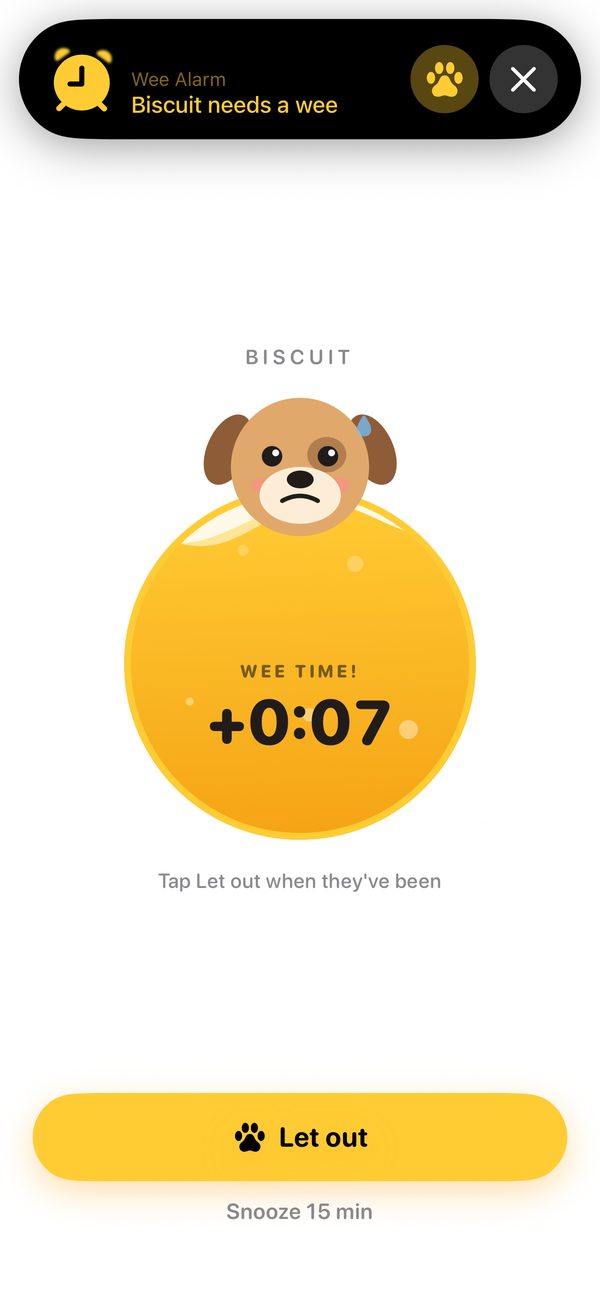
This is the part that makes Wee Alarm more than a timer. AlarmKit, introduced in iOS 26, lets third-party apps schedule genuine alarms, the same kind the Clock app uses. They ring through silent mode and Focus modes, and show up prominently on the Lock Screen.
The alarm is configured with a custom secondary button, Let out, backed by an App Intent:
let letOutButton = AlarmButton(text: "Let out", textColor: .black, systemImageName: "pawprint.fill")
let alert = AlarmPresentation.Alert(title: LocalizedStringResource(stringLiteral: title),
                                    secondaryButton: letOutButton,
                                    secondaryButtonBehavior: .custom)

let configuration = AlarmManager.AlarmConfiguration<WeeAlarmMetadata>.alarm(
    schedule: .fixed(date),
    attributes: attributes,
    stopIntent: nil,
    secondaryIntent: LetOutIntent(alarmID: id.uuidString),
    sound: .default
)
_ = try await AlarmManager.shared.schedule(id: id, configuration: configuration)
LetOutIntent is what makes the one-tap reset work. It runs without opening the app: it stops the ringing alarm, records the trip, and, because recording the trip goes through DogStore.letOut(), schedules the next alarm too:
struct LetOutIntent: LiveActivityIntent {
    static let title: LocalizedStringResource = "Let the dog out"
    static let openAppWhenRun: Bool = false

    @Parameter(title: "Alarm ID")
    var alarmID: String

    func perform() async throws -> some IntentResult {
        // A custom alarm button doesn't dismiss the alarm by itself, so stop it here.
        if let id = UUID(uuidString: alarmID) {
            try? AlarmManager.shared.stop(id: id)
        }
        await MainActor.run { DogStore.shared.letOut() }
        return .result()
    }
}
Falling back gracefully
AlarmKit needs the user’s permission, and people can say no. If alarms are denied, or scheduling throws, the app falls back to a time-sensitive local notification, which can still break through some Focus modes, with its own Let out ✓ and Snooze 15 min actions. If neither is allowed, the home screen shows a banner linking straight to the app’s settings.
Scheduling is asynchronous, and a quick double tap on Let out could otherwise start two scheduling tasks that race each other and leave two alarms behind. The scheduler avoids that by chaining each request onto the previous one, so they always run in order:
func reschedule(at date: Date?, dogName: String) {
    // Chain work so a quick tap-tap can't leave two alarms behind.
    let previous = pending
    pending = Task { [weak self] in
        await previous?.value
        await self?.apply(date: date, dogName: dogName)
    }
}
There’s also a test alarm in Settings that rings in one minute. It’s useful for checking the alarm works with the phone on silent, and for App Review. It’s tracked separately, so rescheduling the real alarm never cancels a pending test.
Animation: drawn in SwiftUI, driven by time
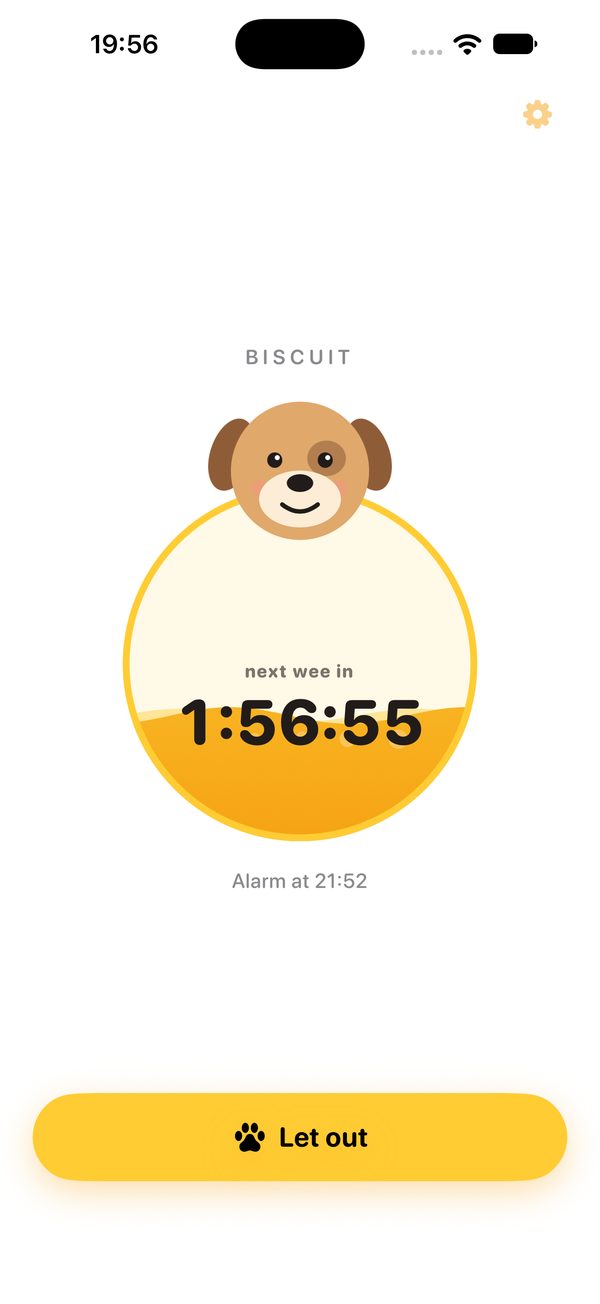
There are no image assets for the dog or the bladder. Both are drawn in SwiftUI from circles, ellipses and custom Shapes, and both are animated by TimelineView(.animation), which redraws every frame and provides the current time. Each frame is then just a function of time and state.
A bladder that fills up
The bladder level is how far through the interval you are: 0 just after a trip outside, 1 when the next one is due. The liquid surface is a custom Shape that draws a sine wave across the circle:
struct Wave: Shape {
    var level: Double
    var phase: Double
    var amplitude: Double

    // Let SwiftUI animate the level, so draining after "Let out" is a smooth spring.
    var animatableData: AnimatablePair<Double, Double> {
        get { AnimatablePair(level, amplitude) }
        set { level = newValue.first; amplitude = newValue.second }
    }

    func path(in rect: CGRect) -> Path {
        var path = Path()
        let baseline = rect.height * (1 - level)
        path.move(to: CGPoint(x: 0, y: rect.height))
        for i in 0...60 {
            let relative = Double(i) / 60
            let y = baseline + sin(relative * 2 * .pi * 1.5 + phase) * amplitude
            path.addLine(to: CGPoint(x: rect.width * relative, y: y))
        }
        path.addLine(to: CGPoint(x: rect.width, y: rect.height))
        path.closeSubpath()
        return path
    }
}
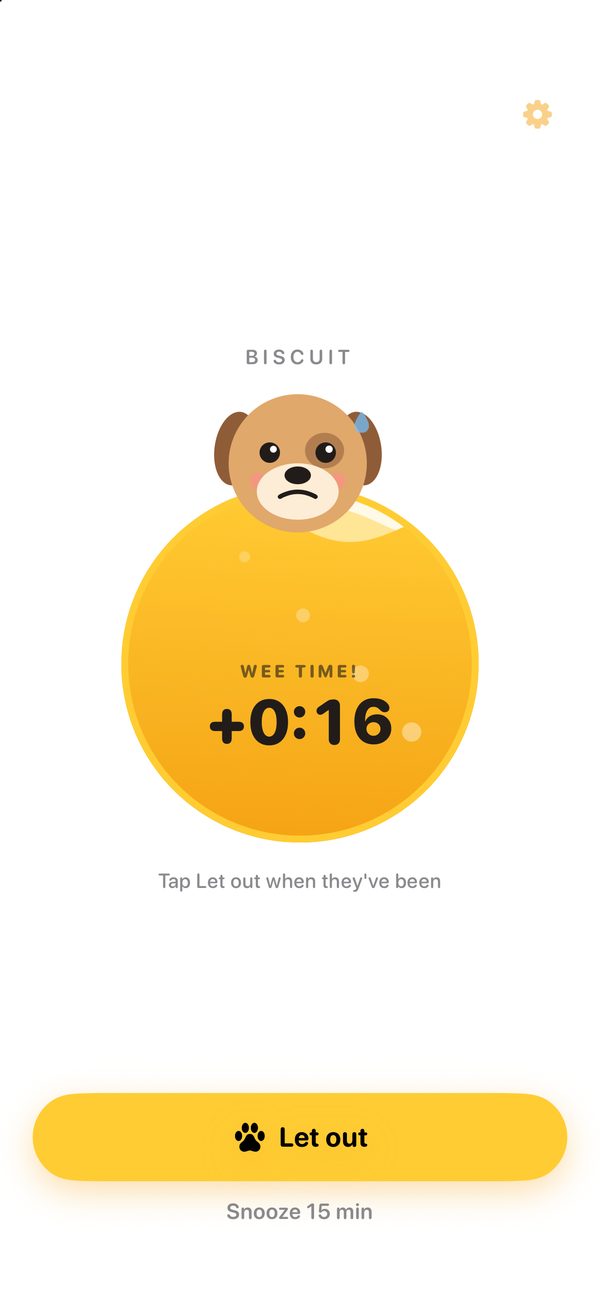
Two waves are layered with slightly different speeds to look like real liquid, and bubbles drift up through it. Urgency drives the motion: as the level rises, the waves move faster and grow taller, and when the dog is overdue the whole bladder starts to jiggle. Because level is part of animatableData, tapping Let out inside a spring animation makes the liquid visibly drain rather than snap to empty.
A dog with moods
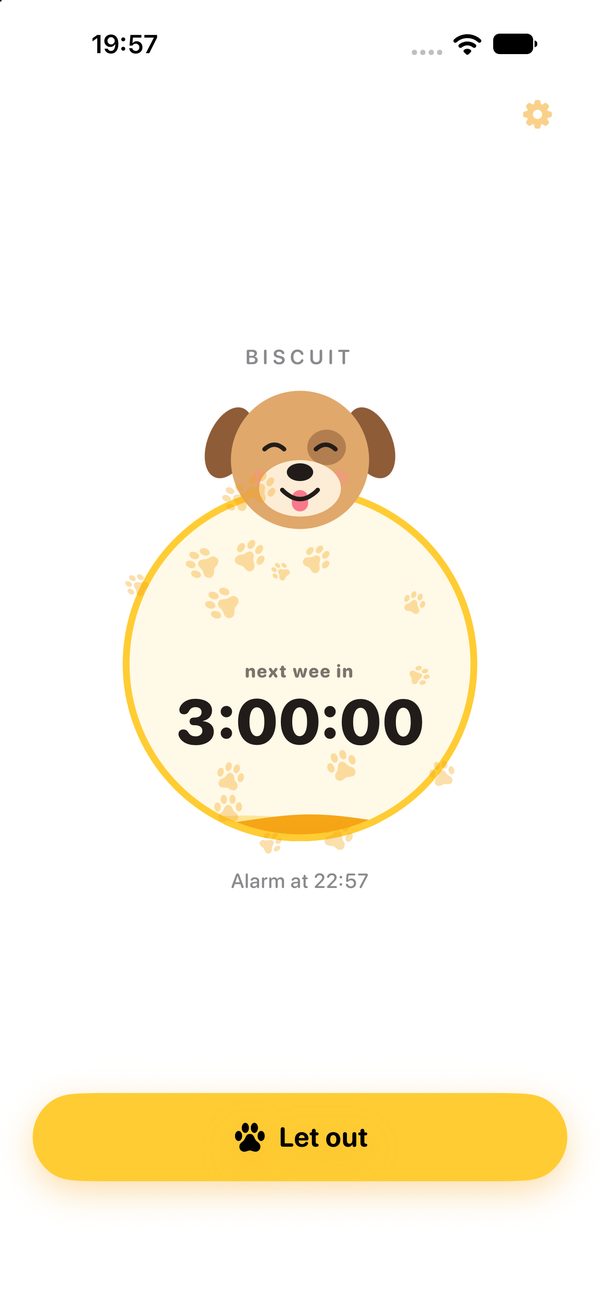
The dog’s mood comes from the same progress value:
Each mood is a handful of numbers: how fast and how far the ears swing, the curve of the mouth, how the body bobs. The ears swing with sin(t * earSpeed) * earWiggle; when the dog is desperate, it hops with -abs(sin(t * 7)), which gives a bouncing potty dance. The mouth is a custom Smile shape whose curve is animatable, so it morphs smoothly from a smile to a worried frown as the mood changes rather than switching between pictures.
The finishing touches
A few small SwiftUI features do a lot of work:
.contentTransition(.numericText(countsDown:))makes the countdown digits roll rather than flicker..sensoryFeedback(.success, trigger:)plays a success haptic when you tap Let out, and selection haptics as you change settings.matchedGeometryEffectslides a yellow pill between the options in setup.PawBurstfires 16 paw prints outwards at random angles, distances and spins when the dog is let out, then removes them.- In setup, the dog tilts its head when you type its name and grows or shrinks as you pick a size.
Private by design
The app collects nothing. The whole state is encoded as a single JSON snapshot in UserDefaults:
private struct Snapshot: Codable {
    var profile: DogProfile?
    var lastLetOut: Date?
    var snoozedUntil: Date?
}
There’s no network code at all. The app’s privacy manifest (PrivacyInfo.xcprivacy) declares no tracking and no collected data, and records the one “required reason” API it uses (UserDefaults, for the app’s own data). On the App Store, that means the Data Not Collected label.
Testing
The project has 18 tests written with Swift Testing (@Test, #expect), 24 cases once the parameterised one expands. They cover the parts with real logic: the recommendation rules for every age and size, quiet hours (overnight, daytime and turned off), due times that move into the morning, text formatting, and the store’s behaviour.
Store tests use a fake scheduler that just records what it was asked to do, so they can check that every action reschedules the alarm without touching AlarmKit:
private final class FakeScheduler: AlarmScheduling {
    var calls: [(date: Date?, name: String)] = []
    func reschedule(at date: Date?, dogName: String) { calls.append((date, dogName)) }
}

@Test func snoozingEarlyNeverBringsTheAlarmForward() {
    let store = DogStore(defaults: freshDefaults(), scheduler: nil)
    let start = Date()
    store.completeSetup(profile, now: start)            // next wee due in 3 hours
    let originalDue = store.nextDue!
    store.snooze(minutes: 15, now: start.addingTimeInterval(60 * 60))   // snooze after 1 hour
    #expect(store.nextDue == originalDue.addingTimeInterval(15 * 60))
}
Each test also gets its own UserDefaults suite, so tests never share or leak state. The alarm itself can’t be unit tested: AlarmKit needs a real device, so it’s checked by hand with the phone silenced and a Focus mode on, using the in-app test alarm.
Getting ready for the App Store
Shipping needs more than code. The repo includes an App Store submission pack: listing text, keywords chosen to avoid repeating words Apple already indexes from the name, privacy answers, age-rating answers, review notes explaining how to trigger an alarm, and a checklist. The app icon, logo and every set of App Store screenshots are generated by Python scripts in the repo, so they can be regenerated whenever the design changes. The support page and privacy policy are hosted on this site.
What could come next
- Snooze on the alarm itself. The AlarmKit alarm offers Let out and stop; snooze is only available in the app and on the fallback notification. AlarmKit’s countdown support looks like the natural way to add it.
- Keep the bladder full while snoozed. Progress is measured from the last trip to the current due time, so snoozing an overdue alarm moves the finish line and the bladder drops back slightly. Measuring against the original due time would keep it full.
- Structured logging. The scheduler logs with
print; Apple’sLoggerwould make those messages filterable in Console and cheaper in release builds. - More than one dog. The model holds a single profile; multiple dogs would mean a list of profiles, each with its own alarm.
You can find out more on the Wee Alarm page, or browse the source on GitHub.